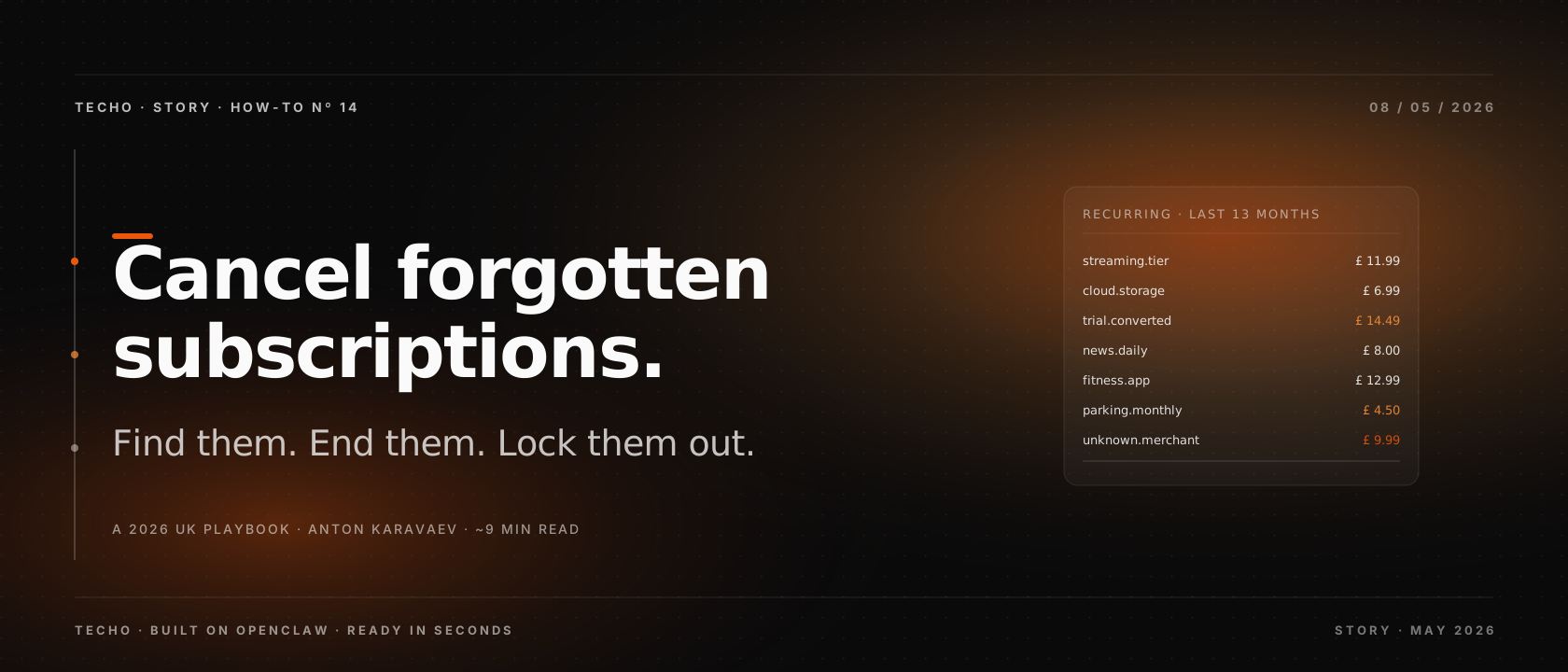
The average UK adult is paying for about a dozen recurring services in 2026, and at least three of them earn the label of forgotten. Some are obvious once you look — a streaming tier you stopped using, a free trial that quietly converted. Others hide behind merchant names that do not match the brand, behind app-store billing, or inside an annual cycle that only fires once a year. This is a practical playbook for finding them, cancelling them, and designing the next batch out of your life.
The 60-second version
Open your current-account app and filter 13 months of recurring charges. Cancel inside the service first, then block the card at the bank. Adopt virtual cards for trials and a quarterly 20-minute review. Around 90 per cent of forgotten subscriptions surface from the bank statement alone; the remaining 10 per cent live on Apple, Google or PayPal billing. UK consumer law backs you up if a charge sneaks through after a cancellation reference.
01The 2026 picture: why subscription sprawl is now normal
Subscription pricing is the default revenue model for software, news, fitness, music, video, productivity apps, parking, beauty boxes, and an alarming amount of children's content. The convenience is real, but it has a cost shape: small individual lines that sum to a meaningful monthly figure, with no single moment to evaluate the whole. A 2025 industry survey put the average UK household at 11.4 active paid subscriptions, with about 28 per cent of respondents admitting at least one was unused.
The structural reason is that the sign-up flow is optimised and the cancel flow is not. Sign-up is two clicks; cancellation is a settings menu, sometimes a chat agent, occasionally a phone line that opens at inconvenient hours. Add to that the seasonal renewal — the gym in January, the storage tier just before a holiday — and a tidy financial life requires a deliberate routine, not goodwill.
02Start at the bank, not the inbox
The single most efficient first move is to open your current-account app and filter for recurring charges over the last 13 months. The 13-month window is intentional: it captures any annual subscription that has fired exactly once. Most modern UK banks now do this filter for you; the labels vary, but the intent is the same.
- Monzo exposes a Trends and Subscriptions view, with each merchant listed and a cancel button for card payments.
- Starling has a Spending Insights tab with a Recurring section and an in-app cancel.
- Revolut shows recurring payments under the card, with a freeze option for the next charge.
- Chase UK lists recurring payments inside the round-ups area.
- NatWest, Barclays, HSBC and Lloyds all show direct debits and standing orders separately, plus a continuous payment authorities list for card-based subscriptions.
If your bank does not surface this view, export 13 months of statement CSV and sort by amount; recurring lines cluster cleanly around the same value each month.
03The 13-month sweep, in detail
Once you have the candidate list, sort by frequency and merchant name. Five categories typically appear: streaming and content, productivity and software, fitness and wellbeing, news and education, and admin or storage utilities. Mark each line with one of three labels: keep, downgrade, or end. Be deliberate about downgrades — many services have a cheaper tier that is rarely advertised, and asking the cancel flow about retention offers often surfaces it.
Two patterns to watch for. First, an introductory price that has reverted to a higher amount; you will see it as the same merchant with a step-up in value at month 12 or 13. Second, the merchant name that does not match the consumer brand — your favourite reading app might appear as an obscure billing entity registered abroad. Cross-checking the merchant string with a quick search resolves most of these cases in seconds.
04Apple, Google and PayPal: the second layer
Roughly one in ten forgotten subscriptions does not appear on a card or current-account statement because the billing rail is owned by Apple, Google or PayPal. These platforms aggregate many merchants behind a single line item, so a £ 7.99 charge on your statement might cover three different services purchased through the App Store.
Open each in turn. On iPhone, head to Settings, your Apple ID, then Subscriptions; you will see active and recently lapsed entries with a clear cancel control. On Android, open Google Play, then Payments and subscriptions, then Subscriptions. On PayPal, open Settings then Payments and Automatic payments; this is the most commonly missed surface, because some merchants only offer PayPal as the recurring rail. Together these three sources surface the long tail that the bank app cannot.
05Cancel without drama
The order matters. Cancel inside the service first, capture a written confirmation, and only then block at the bank. The reason is contractual: blocking the card payment without ending the contract can leave you owing a balance, and a small handful of merchants will pursue it. Walking the flow inside the service also gives you the cancellation reference that proves the date if anything goes wrong.
Use a short script when faced with a chat agent or retention call: state that you wish to end the subscription, give the email and account reference, decline the offers without negotiating, and ask for the cancellation confirmation by email. Keep the email. If the cancel option is buried, the in-product search bar and the help-centre contact form usually surface it faster than menu hunting.
Typical cancellation time per route, observed across 50 UK consumer subscriptions sampled in early 2026. Bank-side blocks are fastest but do not always end the underlying contract.
06Dark patterns to expect
The cancel flow is the place where designers earn or lose your trust. Five common patterns to recognise, and the calm response to each.
- The discount detour: the cancel button is replaced with a 50 per cent off offer for three months. If you genuinely want to keep the service at the lower price, accept it and set a calendar reminder for month three. If you want to leave, decline once and ask for the cancellation page directly.
- The pause trap: you are offered a one-month pause instead of a cancellation. Pauses keep the account on the books and the renewal flow alive, which is the entire point. Choose end, not pause, unless you actually intend to return.
- The chat-only exit: cancellation is only available through a chat agent. Use the script in section five, keep the transcript, and do not engage in the personalised retention story.
- The hidden notice period: the small print requires 30 days of notice. Note the end date the agent confirms and verify the final charge does not exceed it.
- The opt-out tick: a final confirmation page contains pre-ticked boxes that re-enable a related subscription or a paid add-on. Untick everything before submitting.
07Lock out the comeback
A cancelled subscription can come back in three ways: through a saved card on file with the merchant, through a different brand inside the same parent company, and through a free trial of a related product offered as a goodbye gift. The lockout for each is straightforward.
Block the specific card number at the bank as a backup, even if the cancellation completed cleanly. If the merchant has a sibling brand, opt out of marketing inside the parent account so the cross-promotion does not arrive in your inbox. And for any free-trial offer that lands in the cancellation flow, decline it on the spot rather than promising to remember it later.
Set a calendar reminder for one day before the confirmed end date. The reminder is not paranoia; it is the cheapest insurance against an automated re-bill that escapes the agent's notes.
08Virtual cards: the design fix
The single biggest behavioural change you can make is to stop using your main card for trials. Most UK challenger banks issue free virtual cards on demand: Revolut, Monzo, Starling and Curve all allow you to spin up a single-use or merchant-locked card in seconds. Use one virtual card per trial, set a tight limit, and freeze it the moment the trial ends.
The mechanic is brutally simple: a frozen virtual card declines a renewal attempt, which forces the merchant to ask for a new payment method instead of charging you silently. The friction is on their side, not yours, and that small inversion fixes most of the trial-conversion problem at source. For annual renewals on services you genuinely use, a separate dedicated card with the right limit makes reconciliation easier as well.
09The concierge approach: design out the next batch
Most readers can run the steps above in a Saturday morning and recover anywhere from £ 10 to £ 200 a month. The harder problem is the next batch. Subscriptions accrete because every new service you try assumes a recurring relationship by default. Solving that without giving up the convenience needs a small ongoing routine, not a one-off purge.
Three habits do most of the work. First, a quarterly 20-minute review of the bank app's recurring view, with the same keep, downgrade, end labels. Second, a virtual-card default for any trial under £ 50 a month. Third, a single inbox label or note for cancellation references, so a disputed charge has the receipt ready.
If the routine itself is the failure point, an AI concierge can carry it. The pattern is read-only: the concierge sees recurring charges, surfaces the candidates each month, asks for your decision in two taps, and then drafts the cancellation message or fills the cancel form on your behalf. It does not move money and it does not negotiate without your green light, but it is patient enough to do the work that goodwill alone never quite finishes. For more on what an AI concierge actually owns, see best AI concierge apps in the UK for 2026 and hire a PA or use AI.
10Cheatsheet, FAQ and the Techo angle
Print this, pin it to a note, or copy it into your reminders app. The cheatsheet collapses the playbook into a single grid you can run on a quiet evening.
| Step | Where | Time | Outcome |
|---|---|---|---|
| 1. Sweep recurring | Current-account app, 13-month filter | ~10 min | List of live merchants |
| 2. Cross-check stores | Apple, Google, PayPal | ~5 min | Hidden long tail |
| 3. Label keep / downgrade / end | Notes app or spreadsheet | ~5 min | Decision per line |
| 4. Cancel inside services | Web or app for each | ~25 min | Cancellation references |
| 5. Block at the bank | Bank app cancel control | ~5 min | Renewal cannot reach card |
| 6. Set verify reminders | Calendar, day-before end date | ~3 min | Catch sneaky final charges |
| 7. Switch trials to virtual | Revolut / Monzo / Starling / Curve | ~5 min | Future trials cannot auto-bill |
Frequently asked questions
How do I find subscriptions I have forgotten about? Start with the bank, not the inbox. Filter the last 13 months for recurring lines, then sweep Apple, Google and PayPal billing for the long tail. Most adults find three to seven items they had forgotten.
Can my UK bank cancel a subscription for me? Most UK banks now expose an in-app cancel for recurring card payments. That blocks the card but does not end the contract, so cancel inside the service first and use the bank as a backup.
What is a zombie subscription? A recurring charge that survives after you stopped using the service. Common shapes are converted free trials, post-introductory price step-ups, and platform-billed services on Apple, Google or PayPal.
Is it legal for companies to make cancellation difficult in the UK? Cancellation flows must comply with UK consumer law, and the Digital Markets, Competition and Consumers Act 2024 strengthens the rules on subscription contracts. Document your cancellation, keep the confirmation, and escalate if a charge slips through.
How do I stop subscriptions coming back after I cancel them? Capture the reference, block the card, and set a reminder one day before the stated end date. For trials, use a virtual card with a tight limit so a renewal attempt is automatically declined.
Where Techo fits
Techo is an AI concierge built on OpenClaw — a productised, ready-to-use OpenClaw with the integrations, fallbacks and human-in-the-loop checks that subscription cleanup needs. It can read your recurring charges through Open Banking, surface a quarterly cleanup list, and draft the cancellation messages you approve in two taps. It does not move money, it does not cancel without your sign-off, and it keeps the references neatly filed for the day a charge sneaks through. If you want the routine to actually run on its own, that is what Techo's concierge is designed to do — see how Techo's concierge works for the details.