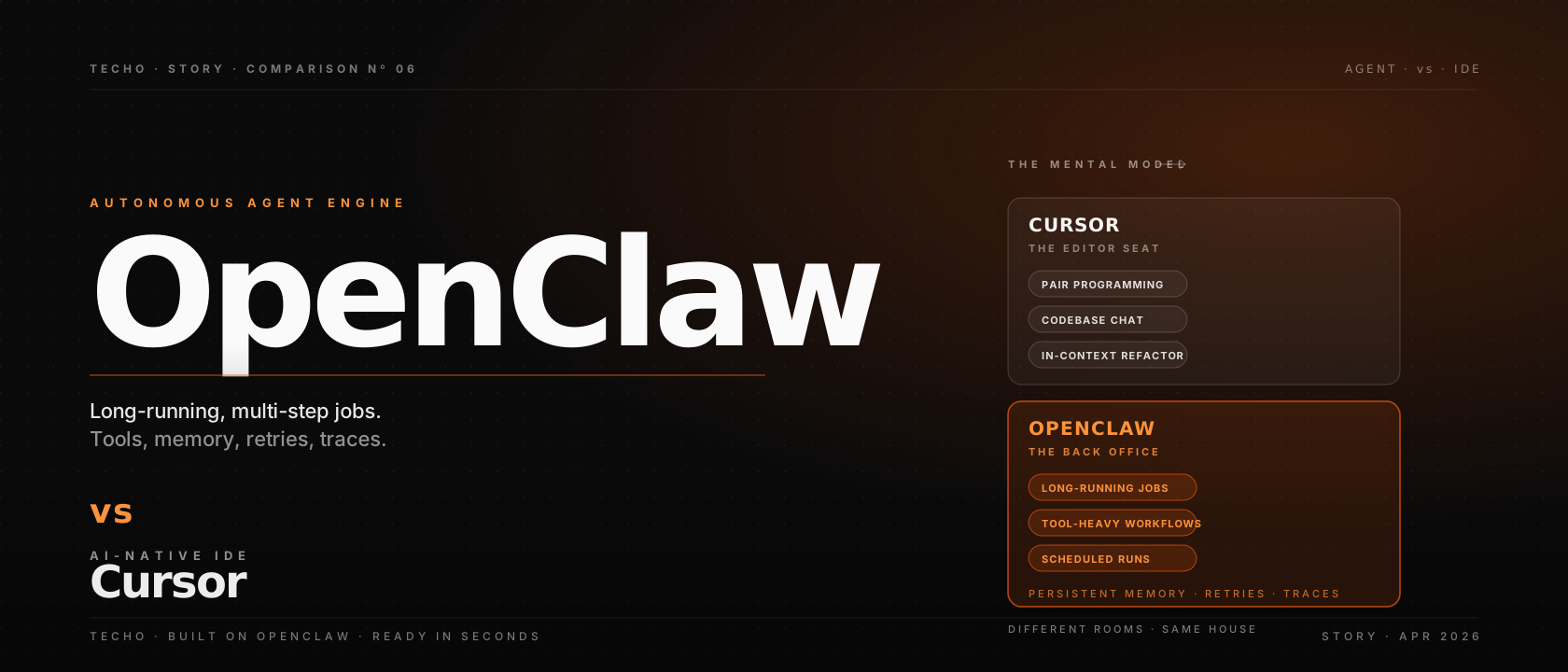
Cursor and OpenClaw both ship with an “agent” button, and that has confused the conversation. They are not the same product. Cursor is an AI-native IDE — an editor that knows your codebase and helps you write the next ten lines. OpenClaw is an autonomous agent engine — a runtime for jobs that take minutes or hours and end with a result, not a draft. Most serious teams in 2026 use both. This piece is the line-by-line version of why.
§The one-line answer
If your week is mostly typing code, Cursor is the bigger upgrade. If your week is mostly orchestrating jobs that read tickets, hit APIs, write reports, file pull requests, and run on a schedule, OpenClaw is the bigger upgrade. Most engineers end up with both open at once, and that is the right answer.
01Two different categories
The clearest way to keep these tools straight is to label what they actually are.
Cursor is an IDE. A fork of VS Code with first-class LLM features baked in: inline completions, tab-to-edit, in-codebase chat, multi-file refactors, and a background agent for short autonomous tasks. The unit of work is the open project; the unit of feedback is the keystroke. Everything is tuned for the developer who is sitting at the keyboard right now.
OpenClaw is an agent engine. A runtime for autonomous workflows: a planner, a tool-call interface, a memory store that survives restarts, sandboxes for safe execution, and an event loop that retries when something fails. The unit of work is the task; the unit of feedback is the run trace. Everything is tuned for jobs that should run when nobody is watching.
Both speak to the same underlying thing — large language models plus tool use — but the surface area each exposes is shaped for a different job. That difference is what the rest of this piece unpacks. For the parallel comparison against another popular pair-coder, our piece on OpenClaw vs Claude Code covers similar ground from a different angle.
02Where Cursor shines
Three things Cursor does better than any agent engine, including OpenClaw.
1. Real-time pair programming
Inline suggestions and tab-to-edit are how most developers experience AI coding day-to-day. Cursor is excellent at predicting the next 5–50 lines and at honouring your codebase’s conventions when it does.
2. Codebase chat
“Where does this prop come from?” or “Show me where we initialise the database” — answered in seconds with file references and line numbers. Onboarding into a new repo is dramatically faster.
3. In-context refactors
Renaming a symbol across the project, extracting a hook, splitting a 600-line file into modules — the kind of work that used to be a careful afternoon is now a Command-K and a review pass.
4. Background agent for short tasks
Cursor’s background agent has improved enormously: small bug fixes, dependency bumps, lint clean-ups. Inside its lane — tasks that finish in a few minutes inside the same project — it is genuinely useful.
The common thread is the editor. Cursor is the tool you reach for when the job is “help me write better code, faster, in this project, right now”. The further you drift from that sentence, the more another tool will fit better.
03Where OpenClaw shines
Three things OpenClaw does that an IDE cannot.
1. Long-running, multi-step jobs
An overnight migration that touches forty files, runs the tests, opens a draft PR, replies to two rounds of review. OpenClaw is built for the runtime that has to survive an hour, not five seconds.
2. Tool-heavy workflows
Agents that hit Jira, Slack, Stripe, GitHub, Linear, internal APIs, a database, a browser, a shell. OpenClaw treats tools as first-class with retries, fallbacks, and observable traces.
3. Scheduled and triggered runs
Cron for agents. A weekly support digest, a nightly content pipeline, a webhook that kicks off a triage flow. Cursor is not in this conversation because it is, sensibly, an editor.
4. Persistent memory
Preferences, history, and learned context that carry across sessions and across users. Memory is what lets the second run of a job be shorter than the first — the engine of every product built on OpenClaw.
The common thread is the runtime. OpenClaw is the tool you reach for when the job is “run this work to completion without me watching, retry sensibly, leave an audit trail”. Inside that sentence, no IDE is going to compete.
04The mental model
If you only remember one framing, make it this one.
Cursor is the keyboard. The thing your hands sit on while you write code. It augments the moment between thought and commit.
OpenClaw is the back office. The thing that turns “a recurring job we said we would automate one day” into a running pipeline that posts a result every Tuesday. It augments the moment between intention and outcome.
You wouldn’t pick one over the other any more than you would pick a keyboard over a CI server. They occupy different rooms in the same house. The teams that mistake them for competitors usually end up with worse versions of both.
05Three example tasks, mapped honestly
A grounded look at three real jobs and which tool wins on each.
Task A — “Add a billing page to the Next.js app.” Open in Cursor. Use codebase chat to find the auth and routing patterns. Tab through a first draft. Refactor the shared form components. Run the dev server. Ship the PR yourself. OpenClaw is overkill for the editor moment of this.
Task B — “Every Monday morning, summarise the week’s GitHub activity, post it to Slack, and email the founders a one-pager.” OpenClaw, easily. Cursor is not designed for “runs every Monday at 7am while I’m asleep”. The right shape is a scheduled OpenClaw agent with three tools wired in.
Task C — “Migrate forty files from Redux to Zustand, run the tests, open a PR per concern.” The honest answer in 2026 is “both”. Sketch the migration in Cursor on the first three files to lock the pattern. Then hand the rest to an OpenClaw agent that follows your worked example, runs the tests after each batch, and opens four small PRs you can review.
06What each one costs
Pricing is structurally different. Cursor charges per developer per month for the editor experience. OpenClaw is open source; the cost is in your model spend, your hosting, and your platform engineering time.
For a typical engineer, Cursor at the Pro tier is one of the highest-leverage line items in your tooling budget. Skipping it to save twenty dollars a month is almost always the wrong call. OpenClaw, conversely, is most expensive at the very start — you are paying for the platform sprint that wires memory, sandboxes, MCP, and observability before you ship anything. After that, the marginal cost is mostly model usage.
☰Cheatsheet: which tool for which job
One table to keep the trade-off straight in the moment:
| Job | Cursor | OpenClaw |
|---|---|---|
| Live pair programming | Best fit | Not the job |
| In-codebase chat & navigation | Best fit | — |
| Multi-file refactor in a project | Best fit | If unattended & large |
| Onboarding into a new repo | Best fit | — |
| Overnight, autonomous migration | Stretches the editor | Best fit |
| Scheduled jobs & cron-style agents | Not the job | Best fit |
| Tool-heavy workflows (Jira/Slack/APIs) | Limited | Best fit |
| Long-lived persistent memory | Session-scoped | First-class |
| Customer-facing agent product | Not the job | Best fit |
| Cost shape | Per developer | Open source + ops |
?FAQ
Is OpenClaw a replacement for Cursor?
No. They sit in different categories. Cursor is an AI-native IDE — a code editor with strong inline completion, in-context chat, and codebase awareness. OpenClaw is an autonomous agent engine — a runtime for long-running, multi-step jobs that use tools, persist memory, and complete outcomes. Most serious teams in 2026 use Cursor inside the editor and OpenClaw for everything that runs outside it.
Which is better for writing code with me line-by-line?
Cursor. The pair-programming experience — inline suggestions, codebase chat, refactor commands, agent mode for short edits — is what Cursor exists to do, and it does it well. OpenClaw is not aimed at the editor seat; it is aimed at jobs that run when you are not watching.
Which is better for long-running, autonomous work?
OpenClaw. The engine is designed for tasks that take minutes to hours, fan out across tools, persist progress through retries, and end with a result rather than a draft. Cursor’s background agent has narrowed this gap, but the further you go from the editor, the more clearly OpenClaw earns its keep.
Can OpenClaw write code on its own?
Yes, when that is the task. OpenClaw can clone a repo, plan a change, edit files, run tests, open a pull request, and respond to review comments. The trade-off is that it does this without the live keyboard feedback that Cursor gives you. Treat OpenClaw as the colleague who works overnight and Cursor as the one who pair-programs with you in the morning.
What does each one cost?
Cursor charges per developer per month, currently around $20 for the Pro tier with most of the editor features and a generous request budget. OpenClaw is open source; the cost is operational — your model spend, your hosting, your platform engineering time. Hosted OpenClaw vendors compress that into a single subscription with usage-based pricing on top.
Do I have to choose one?
No, and most teams should not. Cursor is the editor. OpenClaw is the runtime for everything outside the editor — overnight refactors, scheduled jobs, content pipelines, support agents. They are complementary tools that share the same DNA (LLMs plus tool use) but live in different parts of the workflow.
§Where Techo fits
Most of this piece has been about an honest comparison between two products that are not really competing. Where does Techo come in? Techo is built on OpenClaw — it is one example of a productised, ready-to-use OpenClaw aimed at the AI-concierge use case. The runtime, memory model, and tool-call shape are the same OpenClaw the open-source project ships; what Techo adds is the operations layer (managed memory, sandboxes, MCP registry, model routing, observability, scheduled tasks, a UI) so non-developers can use it without a platform sprint.
If you are evaluating OpenClaw as the runtime for your own product, our piece on Techo as OpenClaw hosting walks through what hosted OpenClaw includes line by line. If you are looking for the engine itself, OpenClaw is open source and runs anywhere you can host a service. Hosted OpenClaw via Techo is the shortcut if the platform sprint is the part you would rather skip.
The mistake most teams make is picking one tool to do both jobs. Cursor for the editor seat, OpenClaw for the runtime — and the day stops being about the tools.
Cursor is the tool that makes the next ten lines better. OpenClaw is the engine that makes the next ten hours run on their own. Use the right one for the right job, and stop trying to make either one impersonate the other.